

B1 Next Gen Bluetooth Music Receiver
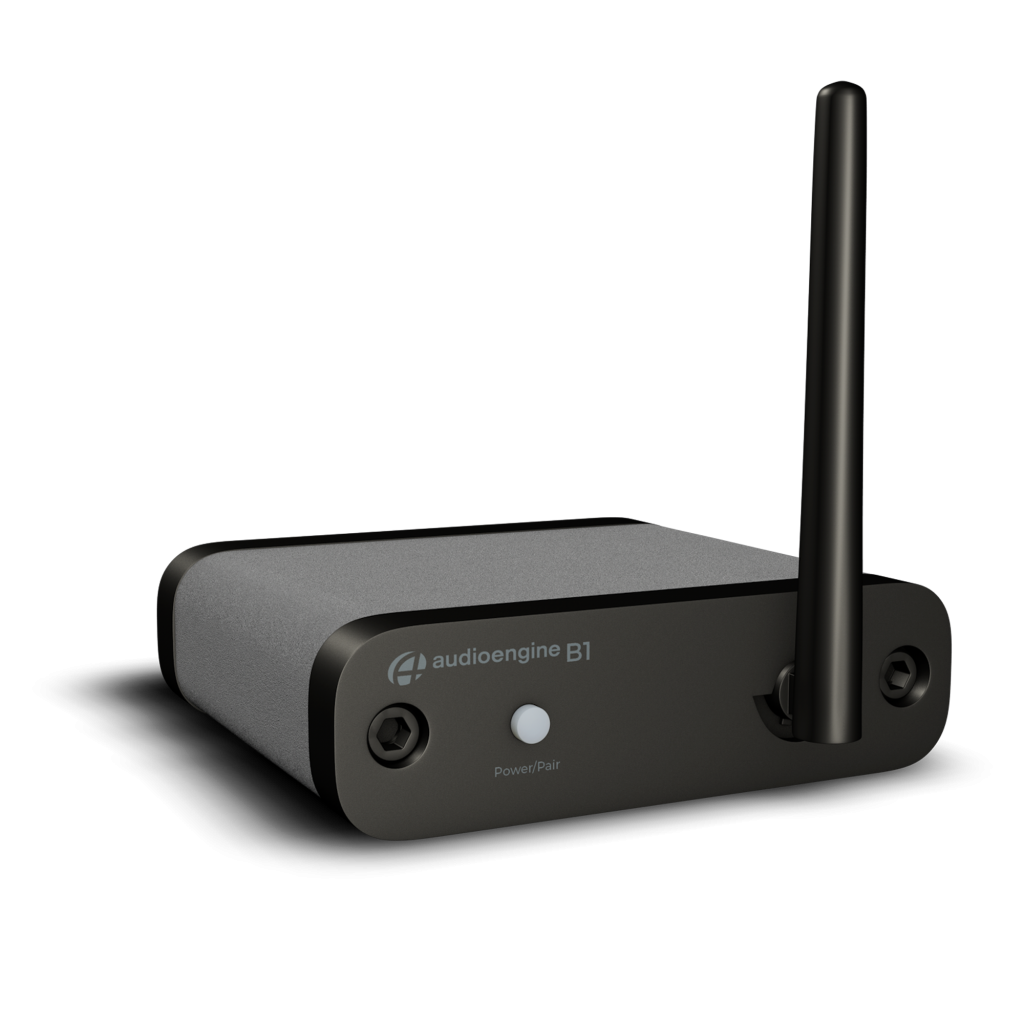
The B1 Next Gen Bluetooth Receiver brings your music to life with advanced 32-bit audio processing and aptX Adaptive technology. This latest upgrade allows you to stream music wirelessly to any home music system, preserving every detail and nuance of your audio—even at extended ranges. Whether you’re rediscovering a vintage setup or enhancing a modern one, the B1 Next Gen delivers unparalleled sound quality and flexibility.
Technical Specifications
General specifications
Bluetooth receiver type
Bluetooth 5.3, Qualcomm QCC 3040
Supported Bluetooth codecs
aptX Adaptive, aptX HD, aptX, AAC, SBC
Supported Bluetooth profiles
A2DP
Inputs
Bluetooth, USB
Outputs
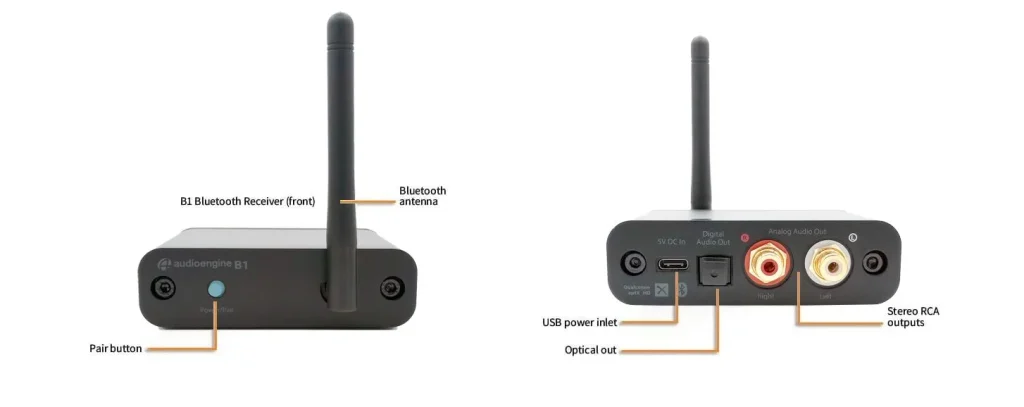
Stereo analog RCA
Digital optical (SPDIF)
Required power
5V, 200mA
Wireless operation range
Up to 100ft (30m) typical
Full-scale output
2.0V RMS
Output impedance
47 Ohms
D/A converter
ES9018K2M
Power filtering
3-stage redundant regulation
SNR
104dB
THD+N
<0.03%
Frequency response
10Hz – 20kHz (+/-0.5 dB)
Crosstalk
<120dB
Input bit depth
32-bit (upscaled)
Input data rate
Determined by Bluetooth
Latency
~80 milliseconds (ms)
Product dimensions
3.5 x 4 x 1
Shipping weight
1.0lbs (0.5kg)
Shipping box dimensions
11 x 7 x 3
Environmental Requirements
Operating temperature: 32° to 105°F (0°C to 40°C)
Storage temperature: -4°0 to 115°F (-20°C to 46°C)
Relative humidity: 5% to 95% non-condensing
Included accessories
RCA audio cable (3ft/1m)
Power adapter with detachable cable
Microfiber bag
Setup guide
Technical Features
Supports all Bluetooth-enabled devices
High-fidelity Bluetooth with aptX Adaptive transmission and extended range
Stream high-resolution 32-bit digital audio from the Audioengine B1 to any music system.
Includes built-in ES9018K2M DAC for superior 32-bit upscaled playback
Aluminum case with audiophile-grade connectors
Analog and optical outputs
2.0Vrms maximum output level
Experience stunning audio quality with aptX Adaptive coding, built-in 32-bit DAC, and extended wireless range.
DAC Characteristics
The B1 Bluetooth Receiver utilizes the ES9018K2M DAC, widely known for its low noise and high fidelity. B1 is essentially an upsampling 32-bit Bluetooth DAC and will pad all bit depths internally to 32-bits, thus achieving a higher signal-to-noise ratio. Due to the ES9018K2M’s high signal-to-noise specs, the fact that the digital signal is converted (upsampled) to 32-bits and the added benefit of triple redundancy power source conversion and filtering, the B1 presents impressive low noise and low distortion characteristics with a noticeable improvement over other Bluetooth devices.
Extended Range
Most Bluetooth implementations have very limited range, usually within just one room. But with careful signal management circuitry and antenna tuning, we offer a superior solution that will reach more than one room with no degradation in audio quality.
High quality Bluetooth audio
The B1 features aptX Adaptive and aptX HD coding which is an advanced Bluetooth audio codec that provides much higher-quality sound than previous versions. The B1 is backwards-compatible with all previous Bluetooth implementations as well, so you can wirelessly stream music from any device and still enjoy outstanding sound.
Optical Output
B1 also functions as a wireless audio bridge from your device to your favorite DAC or preamp. Use the internal DAC with RCA analog outputs or connect the optical output into another DAC.
Quickstart Guide
B1 Quick Setup
Step 1: Connect audio cables from the B1 rear panel to your music system audio input.
Step 2: Connect the power adapter to B1 with the included power cable and plug the power adapter into an AC outlet.
B1 will automatically go into pair mode and the Pair button on the B1 front panel should be flashing.
Step 3: On your device, turn on Bluetooth and go to Bluetooth preferences.
Step 4: Select “Audioengine B1” to pair and connect. The Pair indicator on the B1 front panel should be solid.
Step 5: Play your music and adjust volume levels on B1 and your device.
Repeat steps 3 thru 5 to add additional devices. B1 can connect only one device at a time, however it will remember up to six devices.
To disconnect B1 from a paired device and put B1 back into pair mode, press and hold the Pair button until the indicator begins flashing.
For the full setup guide, download the attached PDF:
B1 quickstart guide-web
B1 Setup Video
Troubleshooting
B1 Troubleshooting Tips
The following troubleshooting tips can help diagnose and correct most concerns with the B1. We have attempted to make this list as comprehensive as possible. So, even though some of these may not apply to your issue, please still go through each one.
If you haven’t already, power cycle your B1 by unplugging the power connection, and reconnecting it.
1) Please make sure all of your connections are complete; also, check that all of your connector cables are in working order. You will want to swap out some interconnects to test for this.
2) Try playing audio from more than one application on your source device (phone, tablet, computer, etc.)
3) Check to make sure your source device is running the most up to date version of software available. If an update is available, make sure you restart your device after the update is installed.
4) Try disconnecting from, and “forgetting” the B1 through your source’s Bluetooth settings. Then, try re-pairing and connecting to the B1. If your B1 is already connected to a device, then the LED will be on and solid. If your B1 has been idle (and not connected to a device) for more than two minutes, the LED will be off. Tap the LED and it will begin blinking to indicate it is ready to pair, then select the B1 in the Bluetooth settings of your source device. If your B1’s LED indicator doesn’t light up, try using a different power source, and/or micro USB cable (many Android smartphones use the same connection, so your charger may be a good way to test for this).
5) Try using a different source device with your B1 to see if the issue follows. Try using the analog as well as the digital optical output, to see if you have this issue with both connections.
6) If at all possible, try your B1 in a different location and / or setup to see if something is causing interference in the current location. Something as simple as a router, cordless / mobile phone, halogen lamps, etc. near the speakers may be causing the issue in your setup.
FAQ's
Yes, you can still use the B1 with the original A5 model! With this kind of setup, you’d just need to use either an RCA to mini-stereo adapter (like the one that was included with your A5s) or an RCA to mini-stereo cable. You would just connect the RCA end into the RCA outputs of the B1 and the connect the mini-stereo side to either the top or back mini-stereo inputs of the A5s.
Setting up your Bluetooth turntable with your Bluetooth-ready Audioengine speakers/components should be simple! First, you would also need to make sure your Audioengine Bluetooth device is on, in pair mode (LED light flashing), and near the turntable. Next, you would need to use the pairing button to send the turntable into pairing mode. Depending on the turntable, you will need to either press and release the turntable’s pair button or press and hold it; for example, on the Audio Technica AT-LP60-BT you would need to hold the turntable’s pairing button for about two seconds, until the light flashes different colors. Once the turntable is in pairing mode, it will search and connect to the nearest available Bluetooth device. Once the turntable if paired and connected to your Audioengine Bluetooth device, the pair light on the receiver should turn solid.
No extra software or drivers are needed. The B1 is compatible with any device that supports Bluetooth, and the A2DP profile for streaming stereo audio. This includes most all Smartphones, Tablets, and Laptop Computers.
Yes, any audio product with a standard analog audio input can connect to B1 with the included RCAs. B1 also includes a digital output so you also can connect via optical (TOSLINK).
You can absolutely still use the B1, and it will sound great. aptX® is a high quality Bluetooth audio codec that works really well. With that said, in addition to mandatory support for SBC, Bluetooth also includes optional support for many other codecs, like MPEG-1, MPEG-2, MPEG-4, and AAC, all of which have their own advantages, and some of which sound very close to aptX®.